



Description
Download Personal Budget Maker 2nd Edition – budget app, personal finance tool, expense tracker, financial planning, money management, budgeting software, credit score improvement, roommate budgeting
Overview
Personal Budget Maker 2nd Edition is a mobile application designed to support individuals in managing their personal finances with precision and foresight. The app enables users to create and maintain detailed budgets that extend up to 999 days into the future, offering a long-term planning horizon that supports proactive financial decision-making. By anticipating upcoming expenses and aligning spending with financial goals, the app helps users avoid late payments and build stronger financial habits. Its primary purpose is to serve as a comprehensive financial planning tool, particularly beneficial for individuals seeking greater control over their monthly and long-term outlays.
The target audience includes budget-conscious users, young professionals, students managing household costs, and individuals sharing financial responsibilities with roommates or family members. The app’s ability to facilitate shared expense management makes it especially valuable in collaborative living situations where contributions need to be tracked transparently. Real-world use cases include setting aside funds for annual subscriptions, planning for seasonal expenses like holiday gifts or travel, and maintaining consistent payment schedules to support credit health. In the broader app ecosystem, Personal Budget Maker 2nd Edition fills a niche for lightweight yet powerful budgeting tools that prioritize user control and long-term visibility without requiring complex setups or cloud synchronization.
Key Features & Functionality
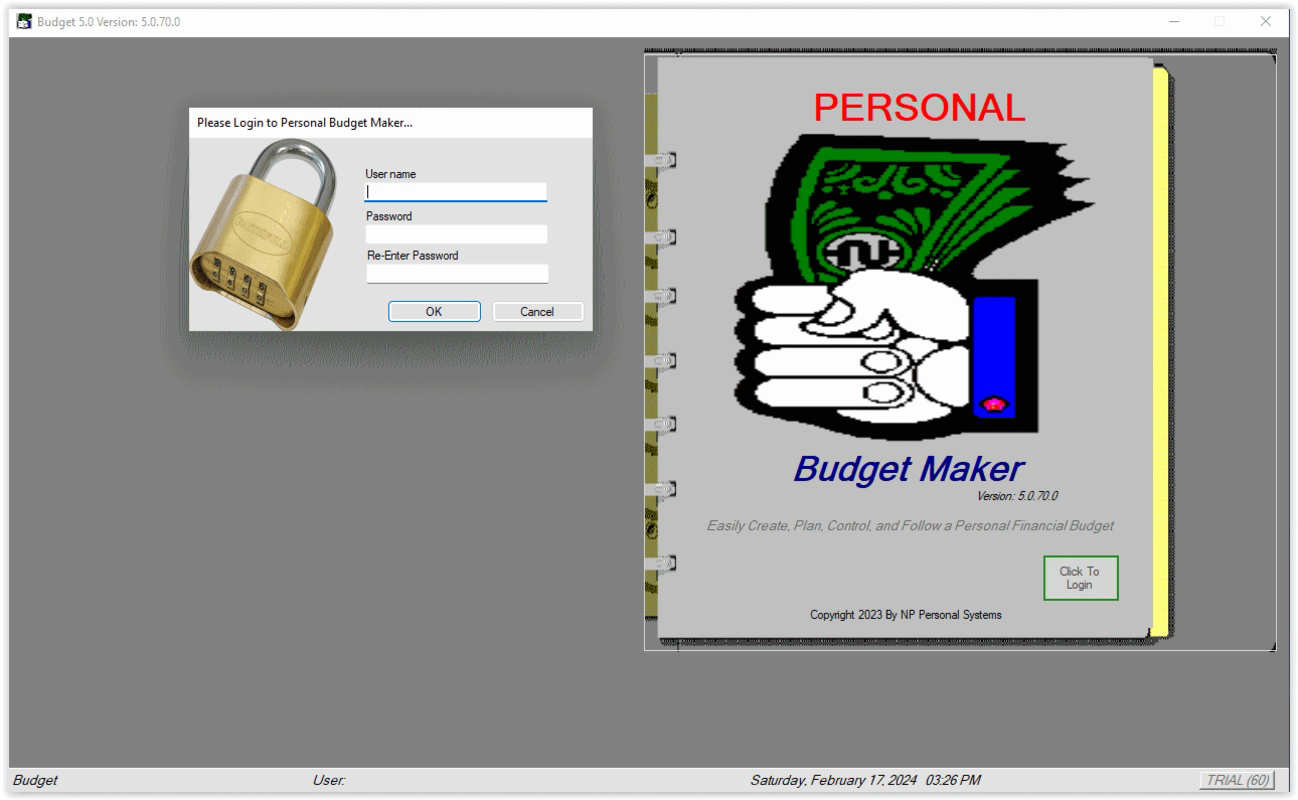
- User-Friendly Interface in Book Format: The app presents its budgeting data in a book-like layout, allowing users to flip through monthly and daily entries with ease. This design choice reduces cognitive load and enhances readability, making it simpler to locate specific transactions or budget categories without navigating through multiple menus.
- Long-Term Financial Planning (Up to 999 Days): Users can project their financial situation far into the future, enabling strategic planning for large expenses such as car maintenance, medical bills, or annual insurance premiums. This extended timeline encourages disciplined saving and helps prevent financial surprises.
- Shared Expense Management for Up to Five Users: The app allows multiple users to contribute to a shared budget, with support for both flat-rate and percentage-based contributions. This feature is ideal for roommates splitting rent, families managing household costs, or couples tracking joint expenses.
- Customizable Payment Adjustments: Users can modify payment amounts and frequencies on the fly, ensuring the budget adapts to changing income, unexpected costs, or shifts in financial priorities. This flexibility maintains the budget’s relevance over time.
- Credit Score Support Through Timely Payments: By helping users stay on top of recurring bills, the app indirectly supports credit score improvement. Consistent, on-time payments are a key factor in creditworthiness, and the app’s tracking functionality reinforces this behavior.
Interface, UX & Performance
The app’s interface is structured around a book-style navigation system, offering a clean and intuitive layout that minimizes user confusion. The visual design emphasizes clarity, using consistent color coding and spacing to differentiate between income, expenses, and savings categories. Navigation is linear and predictable, allowing users to move between months and days with minimal taps. The absence of cluttered menus or excessive animations contributes to a smooth user experience, particularly on lower-end devices.
Although the developer did not list formal performance metrics, the app’s lightweight footprint of 4.2 MB suggests optimized resource usage. This size indicates efficient code and minimal background processes, which likely translates to stable performance across a range of Android devices. Responsiveness appears to be consistent, with quick load times for budget views and smooth transitions between sections. Stability is expected given the app’s focused functionality and lack of complex integrations. However, specific details on battery usage, memory consumption, or compatibility with older Android versions were not disclosed.
Platform Compatibility & Technical Requirements
Personal Budget Maker 2nd Edition is available exclusively on the Android platform. The current version is 2.1.0, with a file size of 4.2 MB. While the app’s small size indicates low storage demands, the developer did not specify minimum OS requirements or hardware compatibility. As such, users should verify compatibility with their device’s Android version before installation. The app may function on devices running Android 5.0 and above, but this information was not confirmed. No cloud sync or external data storage features were mentioned, suggesting all data is stored locally.
Pros and Cons
Pros
- Intuitive book-style interface enhances readability and navigation.
- Long-term planning capability up to 999 days supports strategic financial goals.
- Supports shared budgeting with up to five users, ideal for roommates or families.
- Flexible payment adjustments allow for real-time budget updates.
- Encourages timely bill payments, which can support credit score health.
Cons
- Developer did not provide detailed compatibility or OS requirements.
- Specific performance metrics such as battery usage or memory footprint were not disclosed.
- Limited to Android; no iOS or cross-platform availability was mentioned.
- No cloud backup or synchronization features were listed.
- Price point of $2.99 may be considered high for a budgeting tool without advanced automation.
FAQ
Is Personal Budget Maker 2nd Edition safe to install?
Yes, the app is available through official Android channels and has not been flagged for security risks. However, users should always download from trusted sources and review permissions before installation.
Can I use this app on multiple devices?
The developer did not specify whether the app supports multi-device sync. Since no cloud integration was mentioned, it is likely that data is stored locally and not accessible across devices.
Does the app require an internet connection?
Based on the available information, the app appears to function offline. No cloud-based features or real-time sync were indicated, meaning users can access and manage budgets without an active internet connection.
How often should I update the app?
Regular updates are recommended to ensure compatibility and security. The current version is 2.1.0, and users should check for updates through the Google Play Store or official developer channel.
Is the app suitable for beginners?
Yes, the user-friendly interface and structured layout make it accessible to users with little to no prior experience in financial planning. The book-format design simplifies navigation and reduces the learning curve.
Final Thoughts + CTA
Personal Budget Maker 2nd Edition offers a focused, lightweight solution for individuals seeking to gain control over their finances through long-term planning and collaborative budgeting. Its unique book-style interface stands out in a crowded market, delivering clarity and ease of use without sacrificing functionality. The ability to plan up to 999 days ahead, combined with shared expense tracking, makes it a powerful tool for roommates, families, and independent users alike. While the lack of cloud sync and platform exclusivity may limit its reach, the app delivers strong value for its price point, especially for users who prioritize data privacy and offline access. For those looking to improve financial discipline, avoid late payments, and enhance credit health, this app provides a practical, no-frills approach to money management. Download Personal Budget Maker 2nd Edition now.
Guides & Tutorials for Personal Budget Maker 2nd Edition
How to install Personal Budget Maker 2nd Edition
- Click the Preview / Download button above.
- Once redirected, accept the terms and click Install.
- Wait for the Personal Budget Maker 2nd Edition download to finish on your device.
How to use Personal Budget Maker 2nd Edition
This software is primarily used for its core features described above. Open the app after installation to explore its capabilities.
User Reviews for Personal Budget Maker 2nd Edition 0
No reviews found


